If you can’t use managed identities, credential resources are a way to manage username and password credentials for Azure Automation runbooks. The Secret Management module is an alternative, and it’s a good option to manage credentials that are shared between interactive scripts and automation runbooks. This article describes how to use the Secret Management PowerShell module to fetch credentials stored in Azure Key Vault for use in an automation runbook.
An assembly clash happens when a PowerShell module attempts to load a .NET assembly only to find that a different version is already loaded in the session. Unhappily, this kind of thing happens far too often with Microsoft 365 modules, which implies that there isn’t a great deal of coordination between different development groups. All you can do is to load modules in the right order.
A change to a Graph beta API meant that some data used to create the user password and authentication report was no longer available. A script update was required. The experience underlines the truth that developers should not rely on the Graph beta APIs because the APIs are prone to change at any time as Microsoft moves them along to become production-ready.
The Office 365 for IT Pros team is happy to announce the availability of the October 2025 update for the Automating Microsoft 365 with PowerShell eBook. Subscribers can download the latest PDF and EPUB files from Gumroad.com. In other news, a new eBook about Exchange Server Subscription Edition (SE) is available. It’s always nice to see new sources of knowledge open up!
The Office 365 for IT Pros eBook team is proud to announce the availability of update 15 for the Automating Microsoft 365 with PowerShell eBook. The book includes extensive coverage of how to work with Microsoft 365 workloads through standard modules, Graph APIs, and the Microsoft Graph PowerShell SDK, including hundreds of practical examples over 350-plus pages. No fluff, just real-world code.
After being asked whether licenses are needed to include shared mailboxes in Microsoft 365 retention policies, I investigated and found that licenses are not. This led to a consideration of the steps needed to create a special retention policy for shared mailboxes (with PowerShell, naturally) and how to avoid retention setting collisions with other policies. All explained in detail here.
Deleting an Entra ID user account can result in ownerless groups if the account being removed is the only group owner. Before deleting accounts, it’s a good idea to proactively replace group owners. This article explains how to replace group owners in the fastest and most scalable manner using the Microsoft Graph PowerShell SDK.
After many twists and turns since August 2021, the MSOnline module retirement will happen in April 2025. The AzureAD module will then retire in the 3rd quarter. It’s way past time to upgrade PowerShell scripts. The question is whether to use the Entra module or the Microsoft Graph PowerShell SDK. I know which option is best and say why in this article.
The Office365ITPros GitHub repository holds over 300 PowerShell scripts showing how to interact with Microsoft 365 and Entra ID. Anyone can contribute to Office365ITPros by forking the code to a copy of the repository and making changes to scripts there. If you want, you can push the changes back to us so that we can consider their inclusion in Office365ITPros. It’s a great example of community in action.
The latest technology initiative from Microsoft comes in the form of Teams custom emojis, designed to bring light and happiness to Microsoft 365 tenants. Of course, the light and happiness will only happen if tenants don’t disable the settings in Teams messaging policies that allow users to upload custom emojis. A tenant can support up to 5,000 Teams custom emojis. That’s a lot of room for people to get inventive.
This article explains how to use PowerShell to create dynamic Microsoft 365 groups (and teams) based on the departments assigned to Entra ID user accounts. Creating a new group is easy. The trick in team-enablement is to wait for the synchronization between Entra ID and Teams to finish before you go ahead. After that, it’s plain sailing.
A reader asked how they could create dynamic administrative units for every department in their directory. A PowerShell script does the job, even if some constraints in how Entra ID processes membership rules means that the rules can’t be quite as precise as I would like them to be.
Microsoft makes a 30-day Teams Premium trial license available to allow customers to test the premium features. Once the trial finishes, it’s a good idea to clean up and remove the Teams Premium trial licenses from the Azure AD accounts that participated in the trial, especially as the trial license has the same display name as the paid-for Teams Premium license. You can accomplish the task through the Microsoft 365 admin center, but we explain how to do the job with PowerShell too. The same technique works to remove any specific license from a set of user accounts.
This article describes how to use the Exchange.ManageAsApp permission to allow Azure AD apps to run Exchange Online PowerShell cmdlets. You can do this in the Azure AD admin center for registered apps, but when the time comes to allow Azure Automation runbooks to sign into Exchange Online with a managed identity, you must assign the permission to the automation account with PowerShell. Easy when you know how, hard when you don’t!
This article describes how to adapt the Microsoft 365 licensing report script to highlight Azure AD accounts that haven’t signed in for a long time. Because Microsoft charges for licenses on a monthly basis, every month that goes by racks up cost for underused accounts. The new version of the script tells you what accounts to check to help you focus on driving down licensing costs.
In this article, we explain how to create a report about the Teams private channels found in a tenant together with the members and owners of each channel. The PowerShell script is relatively straightforward and once the data is extracted from Teams, it can be sliced and diced in different ways.
Sharing information generated by a PowerShell script running in Azure Automation can be a challenge. Some time ago, I wrote about creating an output file in a SharePoint Online document library. Here I explore how to do the job by posting to a Teams channel using two different methods.
This article explains how to create a new Microsoft 365 group and team using the membership and properties of an Exchange Online dynamic distribution list. The process is reasonably straightforward, but as always with PowerShell, there are some interesting turns and twists that must be navigated en route.
The Microsoft 365 Groups and Teams Activity report is a PowerShell script which tries to work out if groups and teams are inactive by checking various usage indicators. Because it’s written in PowerShell, tenants can change the script as they like, perhaps even adding some extra turbocharging to the ideas we’ve incorporated into the code.
The transition of Whiteboard storage from Azure to OneDrive for Business is approaching its end. A set of updated clients delivered at the end of March 2022 should do the trick. However, storing newly-created boards in OneDrive is one thing. Migrating old boards and updating components like the Whiteboard Admin PowerShell app are another. We don’t know what’s happening there and Microsoft hasn’t published any guidance.
Access tokens are an important part of accessing data using modern authentication through APIs like the Microsoft Graph. But what’s in an access token and how is the information in the access token used by PowerShell when the time comes to run some Graph queries in a script? In this article, we look behind the scenes to find out what’s in the JSON-structured web tokens issued by Entra ID.
The Microsoft 365 Groups expiration policy can remove inactive groups after a set period. This helps to clean up Entra ID, but the removal of a group might come as a surprise. To help remind administrators when groups will expire, we can use the Microsoft Graph PowerShell SDK to create a report of groups within the scope of the expiration policy and their next renewal dates.
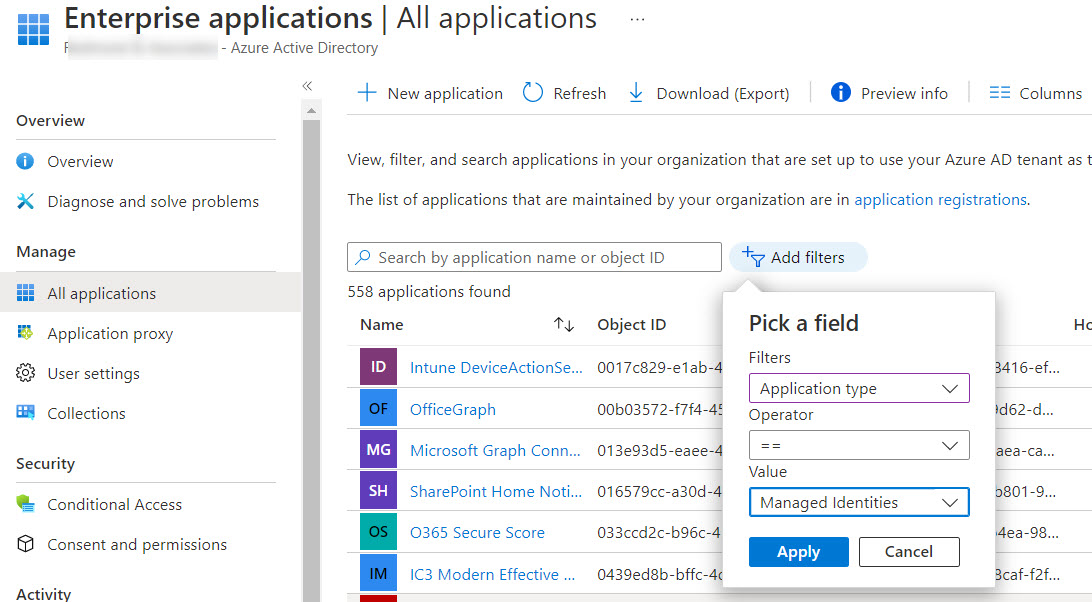
Service principal sign-in data from Entra ID is now accessible through a Microsoft Graph API. This means that you can analyze sign-in data to locate problem apps and remove old or unwanted service principals from your Microsoft 365 tenant. It’s time for spring cleaning!
Finding the age of a Microsoft 365 tenant isn’t an important administrative operation. However, understanding how to retrieve this information (if asked) is an interesting question, which is why we spent several hours playing around with PowerShell and the Microsoft Graph to figure out how to answer the question. It’s the kind of in-depth analysis we do all the time to build content for the Office 365 for IT Pros eBook.
A new List Teams API is available in the beta version of the Microsoft Graph. In time, the new API might replace the existing methods used to fetch sets of teams for processing. For now, there’s no need to update any code as we wait for Microsoft to fully bake the new API. Maybe it will be more performant and functional in the future!
Microsoft Teams posts system messages to a team’s information pane to let people know about membership changes. You can’t stop Teams doing this because Microsoft doesn’t provide control over the system messages at the tenant or team level. You can obscure the names of new members by changing their display name, but maybe the best idea is not to add new members until the time is right.
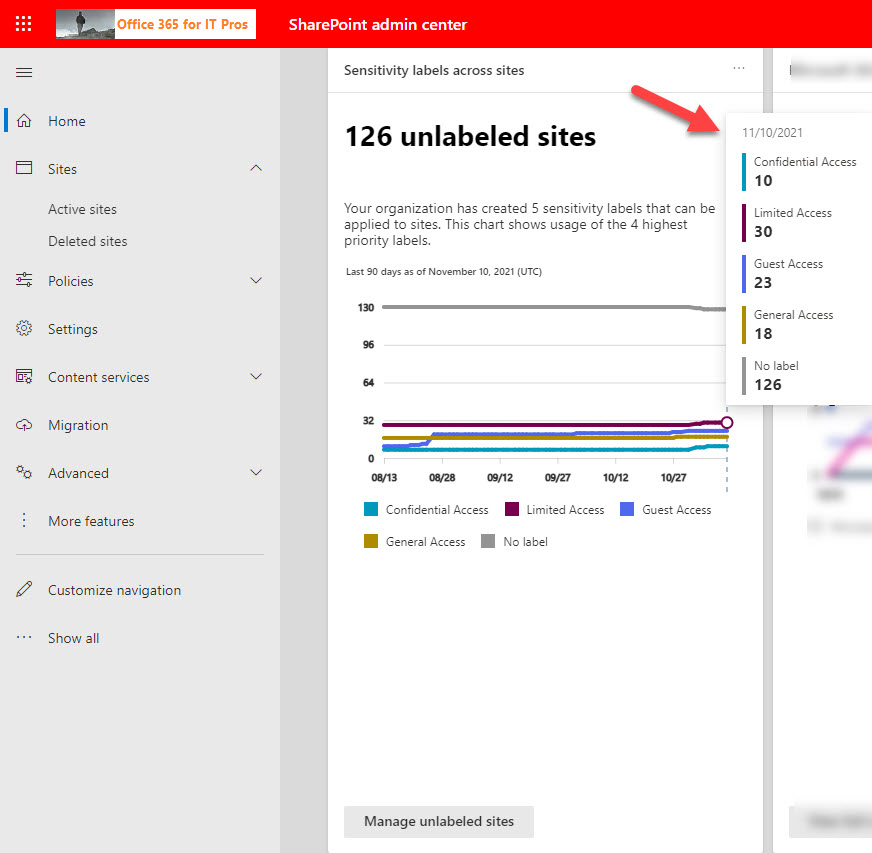
The SharePoint Online admin center displays an insight card for the number of unlabeled sites in the tenant. For some reason, many of the labels assigned to Microsoft 365 Groups and Teams had not reached SharePoint. Some PowerShell does the job to fetch the sensitivity label information from Exchange Online and update sites with the missing label information.
To help you recover from the blizzard of Microsoft 365 information released at Fall Ignite 2021, here are some notes about features and functionality you might have missed. Like any list created by a conference (virtual) attendee, it reflects my interests and what I was looking for. Feel free to disagree on the importance of any or all of the topics discussed here… and suggest some of your own in the comments.
A 1.5 TB limit applies to Exchange Online archive mailboxes from November 1, 2021. In this article, we use PowerShell to report how close expandable archives are to the new limit. In reality, not many archive mailboxes will approach the new limit, but it’s nice to know things like the daily growth rate for an archive and how many days it will take for an archive to reach 1.5 TB. All whimsical stuff calculated with PowerShell!
By default, Exchange Online allows other users in your tenant to see limited details of your availability when scheduling meetings. More information can be displayed by updating the calendar permissions for mailboxes. This is easy to do with PowerShell, but needs to be done on an ongoing basis because Exchange Online doesn’t have an organization or mailbox plan setting to assign the value to new mailboxes.
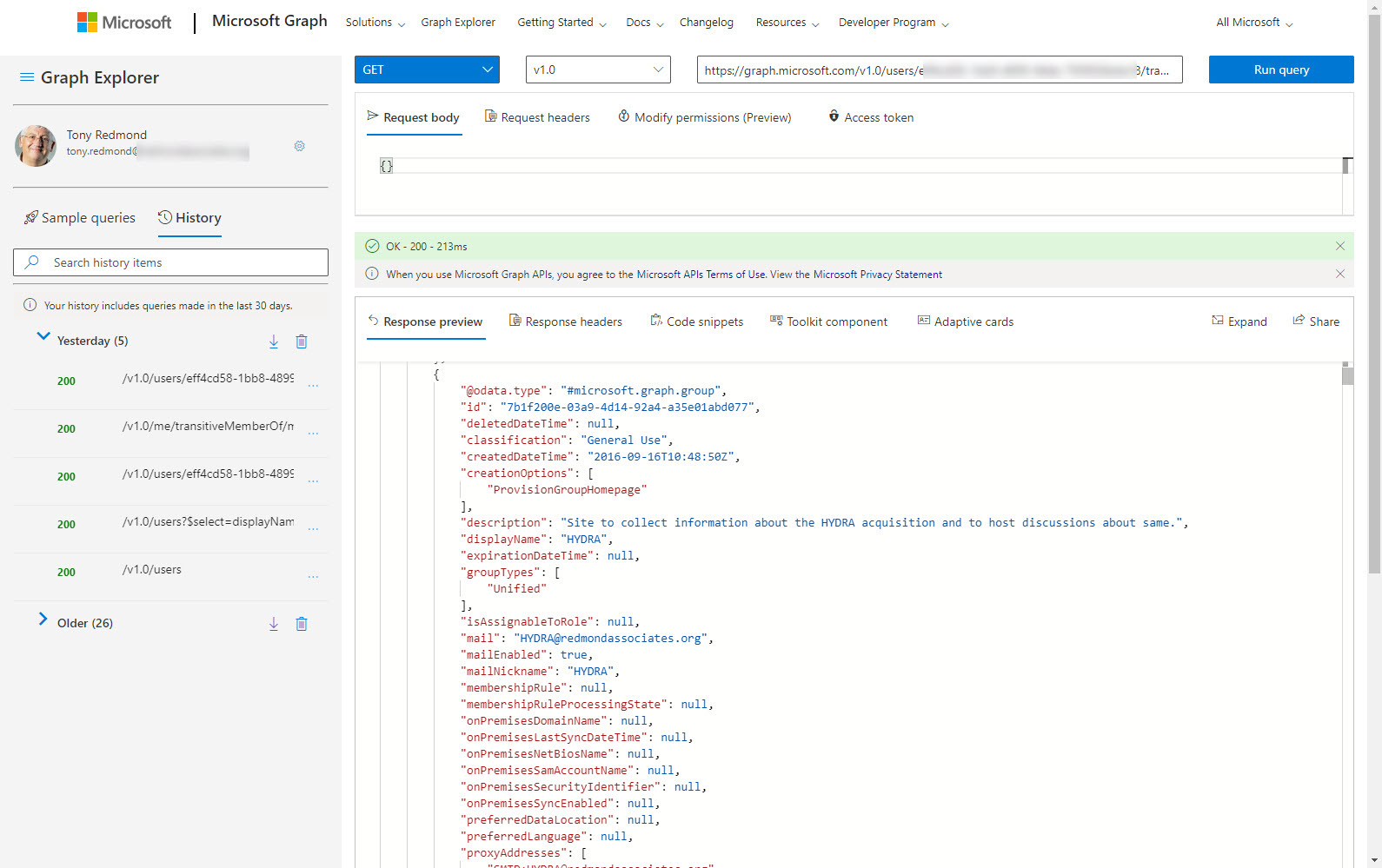
Understanding how to create effective queries using the Microsoft Graph APIs takes some work, especially with some of the more complex filters used to refine the data returned by the Graph. In this article, we look at how filters using lambda qualifiers work and explore some examples of these qualifiers in use.
Microsoft has replaced the controls which disabled document insights in Delve with new Graph-based settings. However, you might still have a bunch of users with the Delve settings who need to migrate to the Graph settings. In this article, we explore how the settings work and how to query the Graph to find the set of users who disabled the setting in Delve. We can then use PowerShell to add those accounts to the group of disabled insights users for the Graph-based settings.
In this post, we describe how to use PowerShell to remove a single service plan from Microsoft 365 licenses using PowerShell. The script can remove any service plan from any SKU (license) in a tenant. You might want to do this to disable access to an obsolete feature (like Sway) or to prevent access to a new feature until the organization is ready to support user activity.
The message center in the Microsoft 365 admin center will soon use a new data privacy tag to highlight specific service updates to tenant administrators. No messages with the new tag have yet appeared, so it’s hard to know how Microsoft plans to use the new tag or what kind of attachments it will make available to administrators to help understand the sensitive data involved in data privacy. While we’re waiting, we took at look at the tags in use today and wrote some PowerShell to report which tag is most popular.
Many PowerShell scripts which access Office 365 data could do with a speed boost. Replacing cmdlets with Microsoft Graph API calls is one way to get extra speed. In this article, we take a PowerShell script to report the memberships users have of Microsoft 365 groups and replace some important cmdlets with Graph API calls. The result is a big speed increase.
Office 365 tenants users will soon be able to execute self-service purchase Windows 365 licenses. That is, unless you stop them by running some PowerShell commands to disable the capability. In this article, we explain the Windows 365 options available for self-service purchase and the PowerShell commands necessary to disable the option, if you think it’s a bad idea (as some do).
The thoughts of using Microsoft Graph API calls with PowerShell might seem to be too much trouble, but used correctly, Graph API calls help scripts speed up and get to some data that is not reachable through a cmdlet. I have a simple four-step approach that I use to figure out if I need to include some Graph API calls. The routine works for me. Feel free to disagree.
How do you create a report of all the Teams in a tenant and their SharePoint Online sites? As it turns out, a two-line script does the job. We make the script slightly prettier, but it’s still simple. And because it’s PowerShell, anyone can change the code to make it work the way they want it to.
Auto-label policies are a good way to assign retention labels to important files stored in SharePoint Online and OneDrive for Business. The big problem is tracking the progress of auto-labeling. In this article, we explore how to use events logged in the Office 365 audit log to figure out what files are labeled and how long it takes the auto-label policies to process the files. The example explored here is an auto-label policy for Teams meeting recordings.
Sometimes it’s wise to give PowerShell scripts a turbo boost. This is certainly true for the Groups and Teams Activity report script, where a large amount of PowerShell processing has been replaced with speedy Microsoft Graph API calls. The result is much faster processing, which means that the script is more useful in large tenants. I still wouldn’t try to run it against 100,000 groups, but anything smaller should be OK. I think!